A habit tracker for iPhone that survives a missed day
Set a daily, weekly or monthly goal, check in with one tap, and keep your streak when the week does not go to plan. Free on iPhone and iPad, with Shortcuts, widgets and iCloud sync.
Free on the App Store. iPhone and iPad, iOS 26 or later. No account needed.
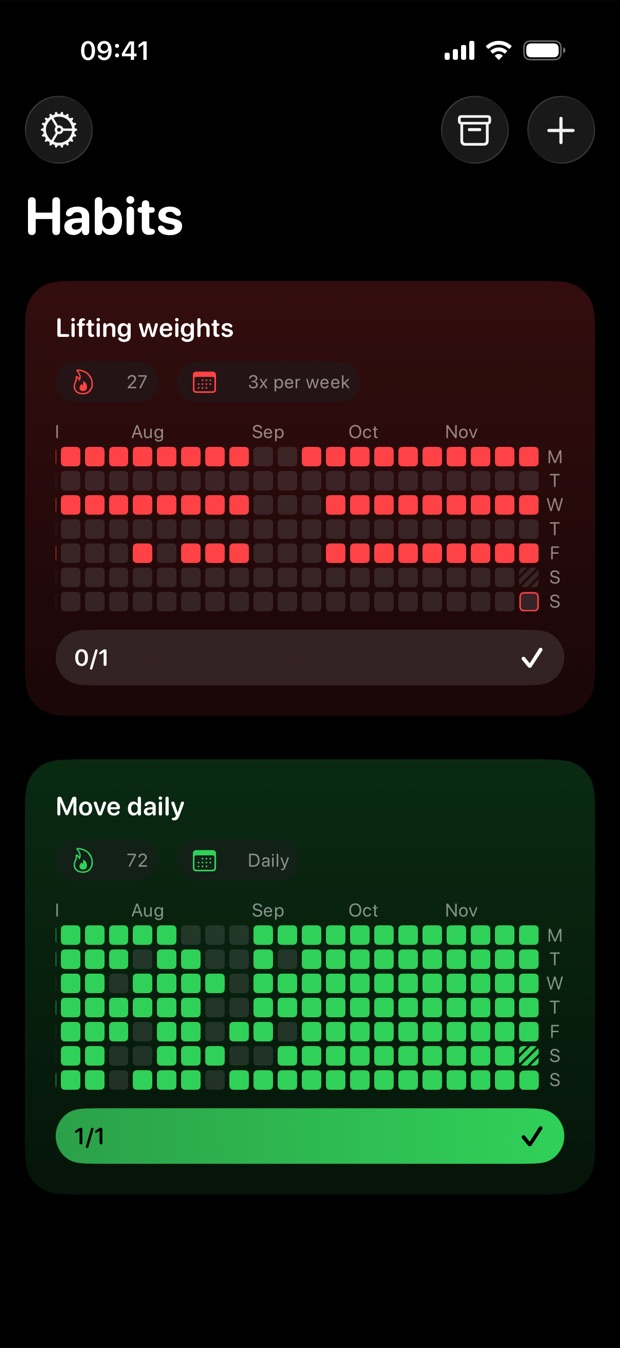
What Nuvo does
Built around how habits actually go
Weeks are uneven. A habit tracker that only understands perfect ones gets deleted in February.
Streaks that follow your own goal
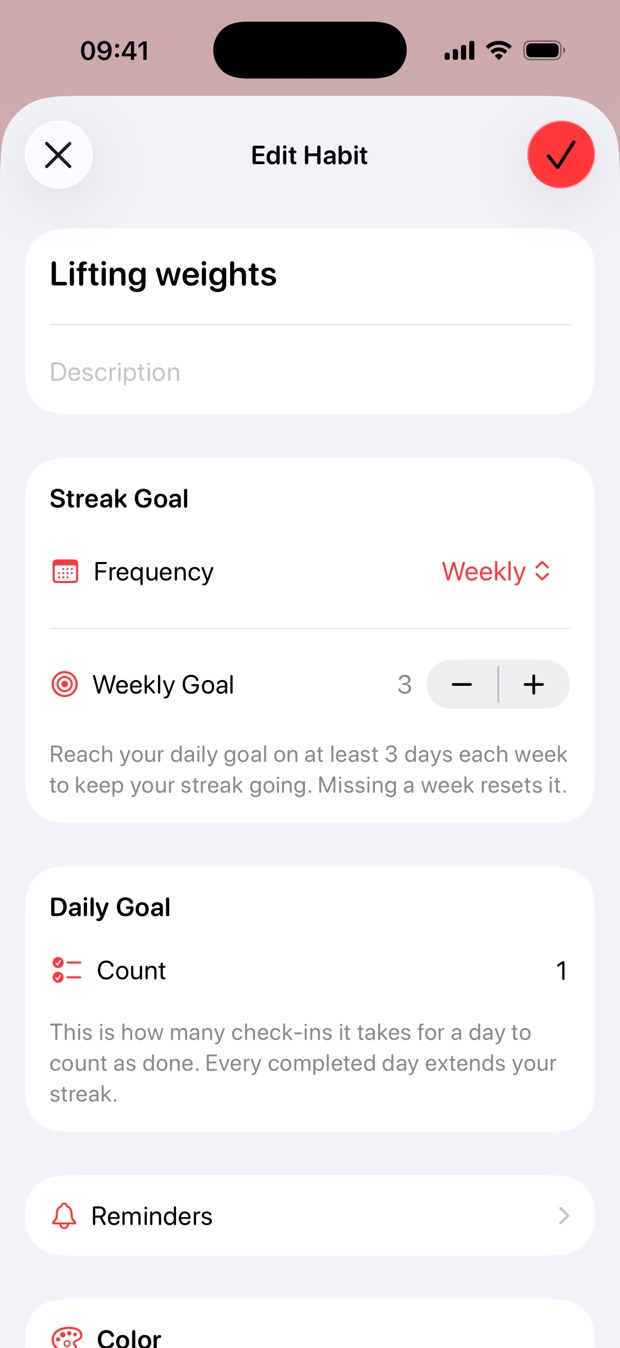
A streak breaks when you miss the target you set, not when you miss a Tuesday. Set a habit to three times a week and three times a week is what counts.
Daily, weekly, monthly or no goal at all
Four frequencies per habit. The open setting counts every day you check in and never resets, which is the easiest way to start something new.
Vacation mode
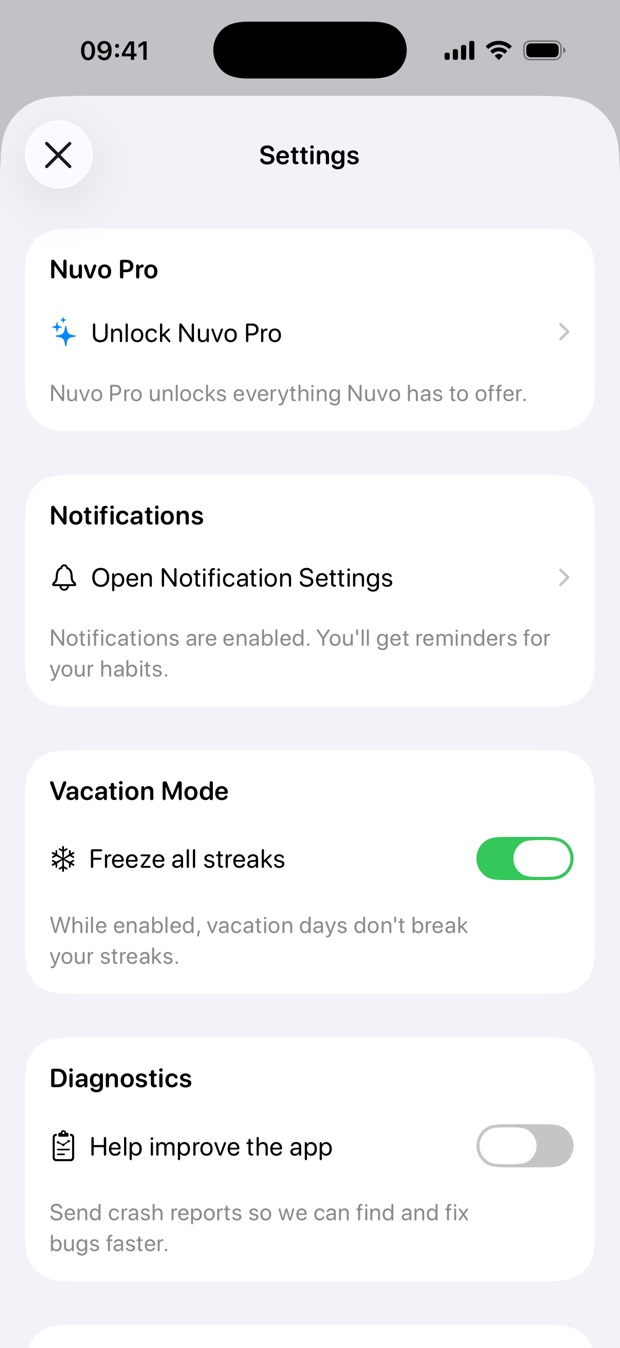
One switch in Settings freezes every streak. Two weeks away costs you nothing, and your history stays exactly as it was.
Shortcuts and automations
The check-in action is available in the Shortcuts app, so arriving home or closing a workout app can record the habit for you.
iCloud sync, no account
Habits, check-ins and reminders move between your iPhone and iPad through your own private iCloud. There is nothing to sign up for.
Archive instead of delete
Swipe a habit off the list and it waits in the archive with its history intact. Bring it back whenever the season comes round again.
Set the goal, then let the streak follow it
Each habit gets its own frequency: daily, a number of days per week, a number of days per month, or none at all. The footer under the setting states the rule the streak will follow, so nothing about the counter is a surprise.
A weekly goal of three means three days a week keeps the streak. Which three is up to you.
Time away should not look like giving up
Vacation mode freezes every streak with one switch in Settings. The days you are away count as neither successes nor misses, and the counter continues where it stopped.
For habits that belong to a finished chapter, archive them instead. They keep their history and come back whenever you want them.
A reminder at the moment you can still act
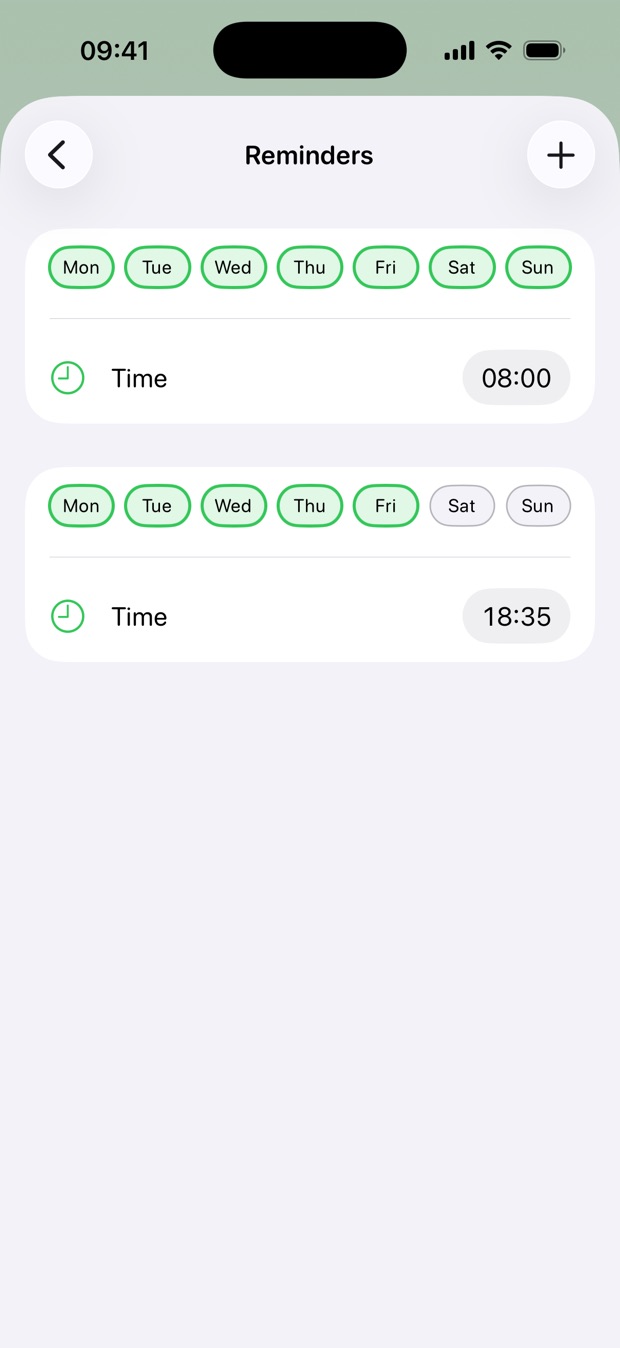
Reminders are set per weekday, so a 06:45 nudge on workdays and a 10:00 one at the weekend can belong to the same habit.
If you would rather not be reminded at all, a Shortcuts automation can record the check-in for you, on arriving home or on finishing a workout.
How it works
- Create the habitName it, pick a color, and choose how often it should count: daily, a few times a week, a few times a month, or no fixed goal.
- Check inOne tap on the bar at the bottom of the card. Or tap the widget on your Home Screen, or let a Shortcuts automation do it.
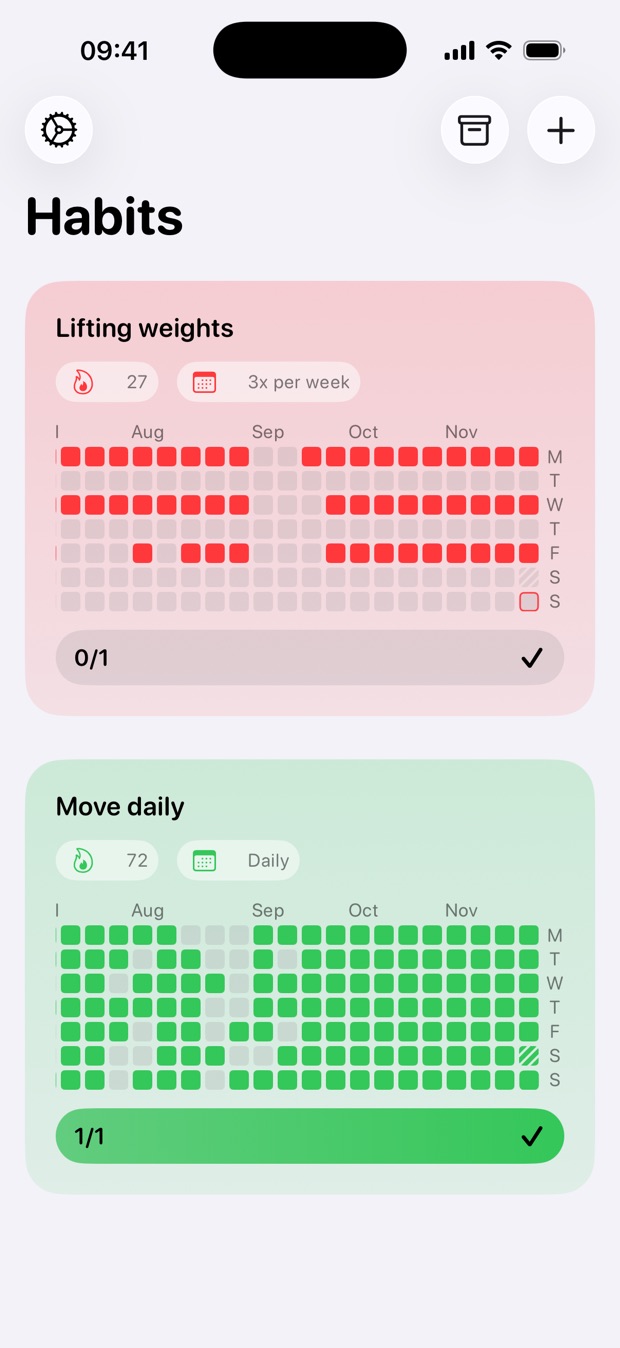
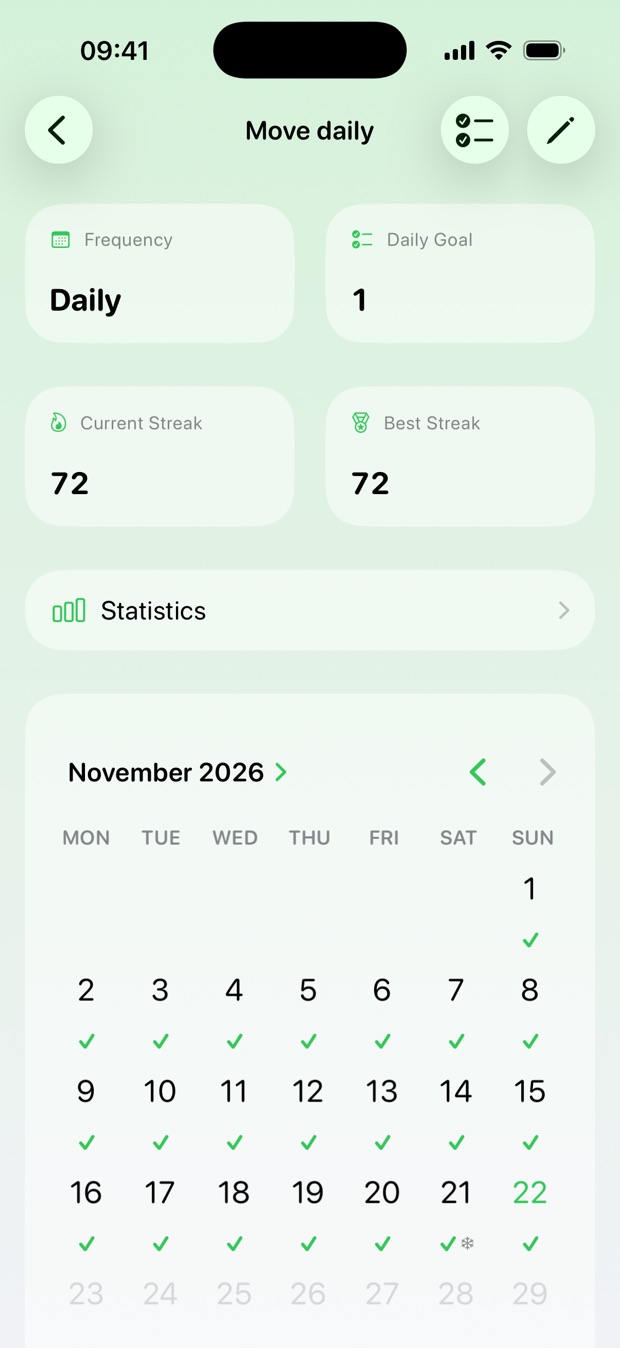
- Watch the history fillThe tiles on each card put several months on screen at once, so a gap that is becoming a pattern is easy to spot. The detail screen adds the current streak, the best streak and a month calendar.
Nuvo Pro
Two habits are free. Pro lifts the ceiling.
Everything that makes a streak fair is in the free version. Pro is for people tracking more than a couple of things at once.
Unlimited habits
The free version tracks two. Pro removes the limit, and habits above it were never deleted: they were waiting.
Home Screen widgets
Small and medium sizes, each tied to a habit, each with a check-in button so you never open the app.
Detailed statistics
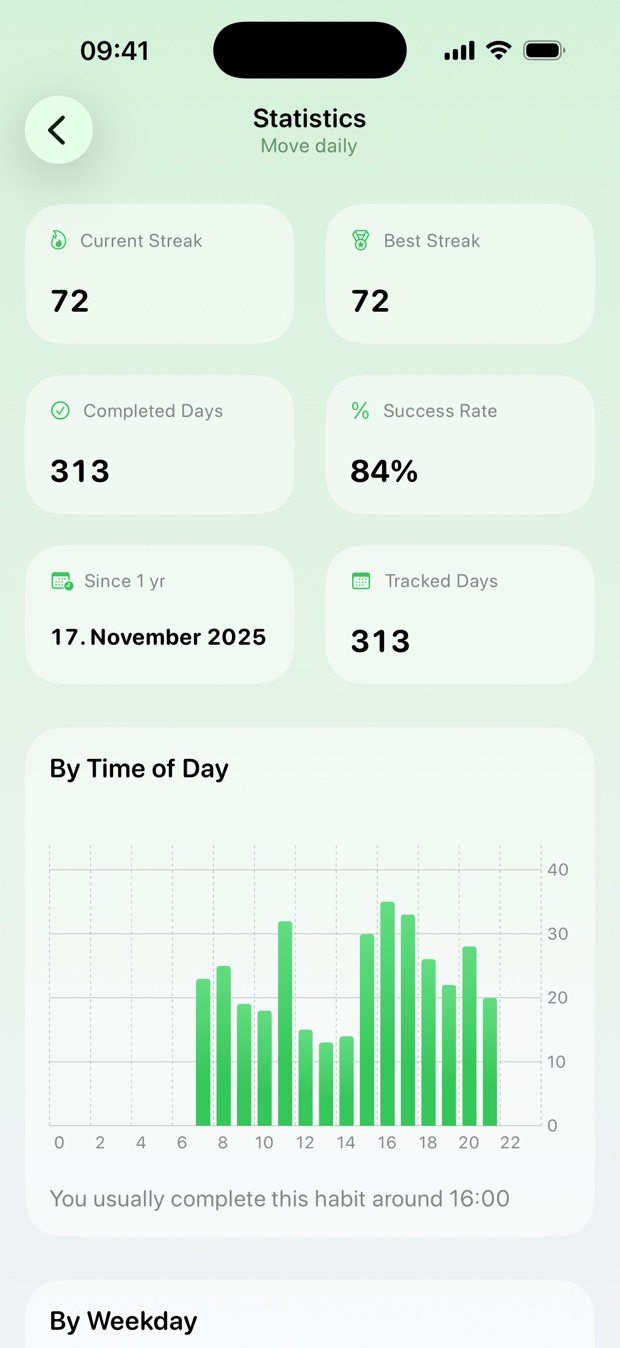
Completion rate, tracked days, and charts by time of day and weekday. Useful for noticing that Wednesdays are the problem.
More reminders per habit
The free version gives one reminder per habit. Pro adds a second and a third for habits with more than one window.
Guides
Short answers to the things people ask about habit tracking, each one showing where it lives in Nuvo.
How to keep a habit streak that doesn't reset
A missed Tuesday should not erase six weeks of work. How weekly goals, open streaks and vacation days keep a habit streak alive when life interferes.
Read the guideHow to set a weekly habit goal instead of a daily one
Three runs a week, not seven. How to switch a habit from a daily target to a weekly one in Nuvo, and how to pick a number you can keep.
Read the guideHabit tracker with vacation mode: pause a streak without losing it
Two weeks away should not cost three months of progress. How vacation mode freezes habit streaks in Nuvo, and when to archive a habit instead.
Read the guideHow to automate habit tracking with Apple Shortcuts
Let the check-in happen by itself. Build Shortcuts automations that log a Nuvo habit when you get home, finish a workout or tap an NFC tag.
Read the guideHow to put a habit tracker widget on your iPhone Home Screen
A habit you can see is a habit you remember. How to add the Nuvo widget, choose which habit it shows, and check in without opening the app.
Read the guideHow to sync your habit tracker between iPhone and iPad
Check in on whichever device is closer. How iCloud sync works in Nuvo, where the data lives, and what to check when a device looks out of date.
Read the guideHow to set habit reminders that actually work
Most habit reminders get swiped away within a week. How to pick the time and the frequency that gets you to act, with per-weekday reminders in Nuvo.
Read the guideQuestions
Is Nuvo free?
Yes. The free version tracks two habits with unlimited check-ins, streaks, one reminder per habit, Shortcuts, iCloud sync and vacation mode. Nuvo Pro adds unlimited habits, Home Screen widgets, detailed statistics and extra reminders per habit.
Does one missed day reset my streak?
Only if the habit is set to Daily. With a weekly goal, the streak holds as long as you reach the goal that week. With no fixed goal it never resets at all.
Can I track a habit that is not daily?
Yes. Each habit has its own frequency: daily, a number of days per week, a number of days per month, or none. Three gym sessions a week is a real target in Nuvo rather than a note to yourself.
What happens to my streaks while I am away?
Turn on vacation mode before you leave and every streak freezes. Days during a vacation period are neither successes nor misses, and nothing resets while it is on.
Can I check in without opening the app?
Yes, in two ways: tap the check-in button on the Home Screen widget, or let a Shortcuts automation record it when you arrive somewhere or finish a workout.
Does Nuvo sync between iPhone and iPad?
Yes, over iCloud. Sign in to the same Apple Account on both devices and your habits, check-ins, reminders and archive stay in step. Sync is in the free version.
Does Nuvo need an account?
No. There is no sign-up and no password. Your data sits on your device and in your own private iCloud database, and Nuvo has no server of its own holding it.
Is there an Android or web version?
No. Nuvo is built for iPhone and iPad and needs iOS 26 or later. There is no Android app and no web version.
Can I get a habit back after I remove it?
Swiping a habit left archives it rather than deleting it, and archived habits keep every check-in. You can restore one at any time from the archive screen.
Start with one habit
Pick the thing you keep meaning to do, set a goal you can hold in a bad week, and check in tonight.